






Get answers, not
runaround.
Search setup guides, firmware fixes, and support resources by entering keywords below.
Common Setups DVR + NVR
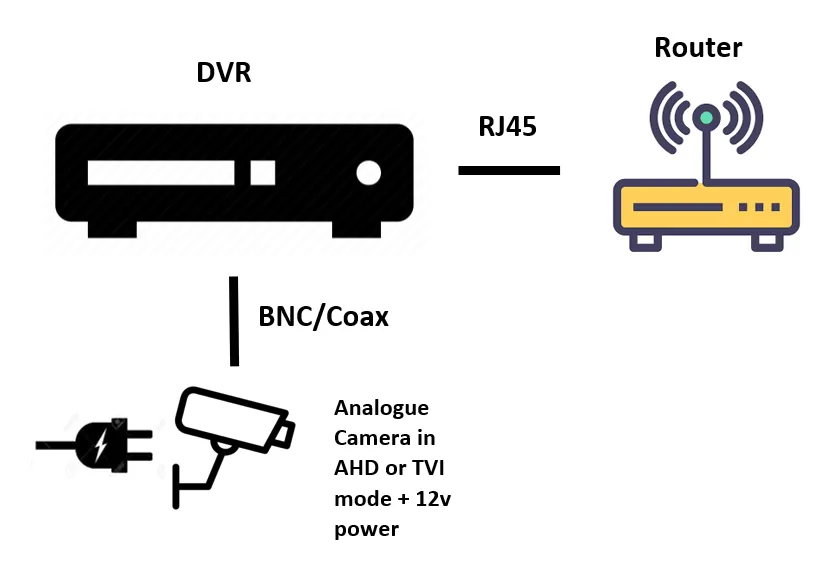
Any NVR or DVR can be connected to a router and get an IP address via DHCP
Common setups:
NVR gives IP cameras and IP address when connected directly into back via PoE port..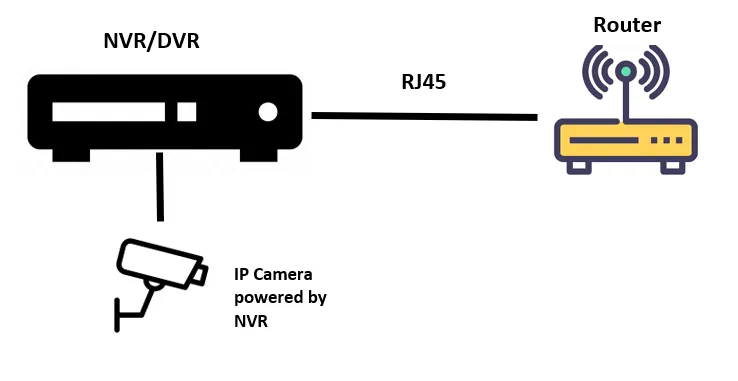
-----------------------------------------------------------------------------------------------------------------------
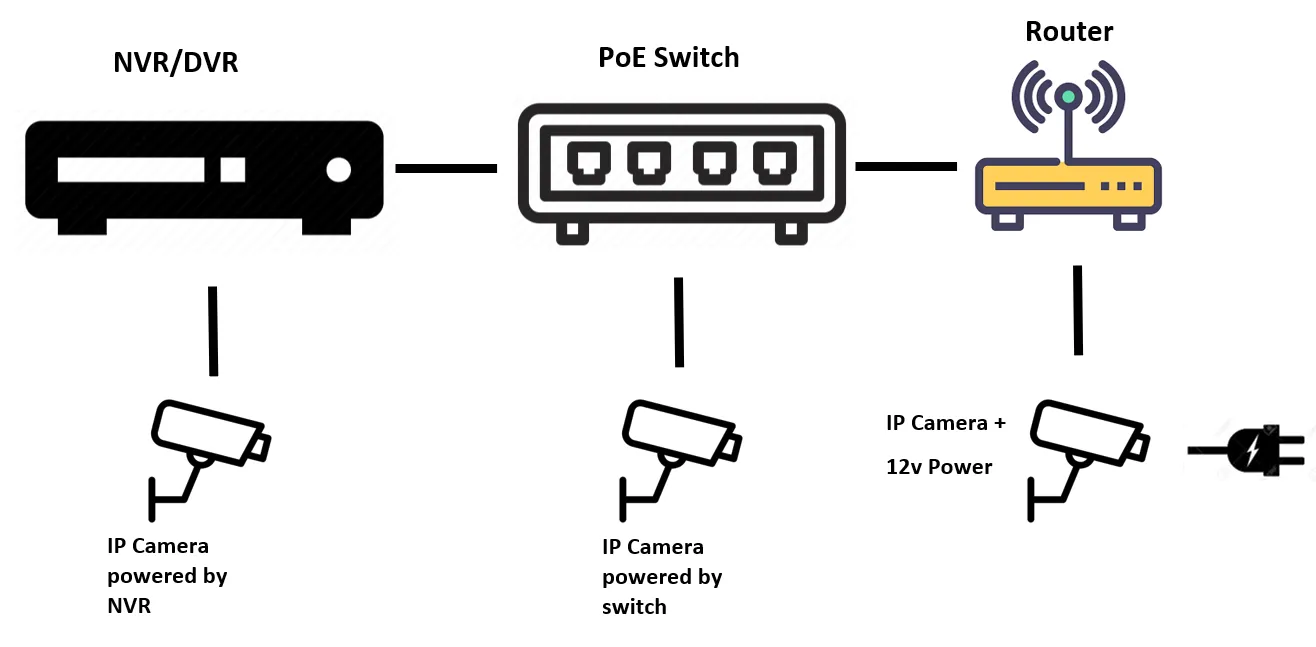
Router gives IP addresses to NVR and devices on switch
------------------------------------------------------------------------------------------------------------------------
Without a router, you need to assign addresses to devices on switch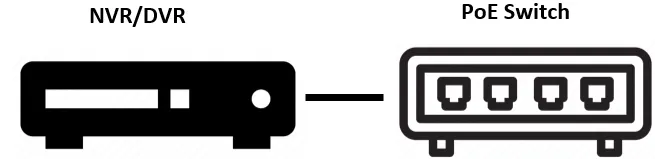
------------------------------------------------------------------------------------------------------------------------
Network switch can be connected to seperate port on router.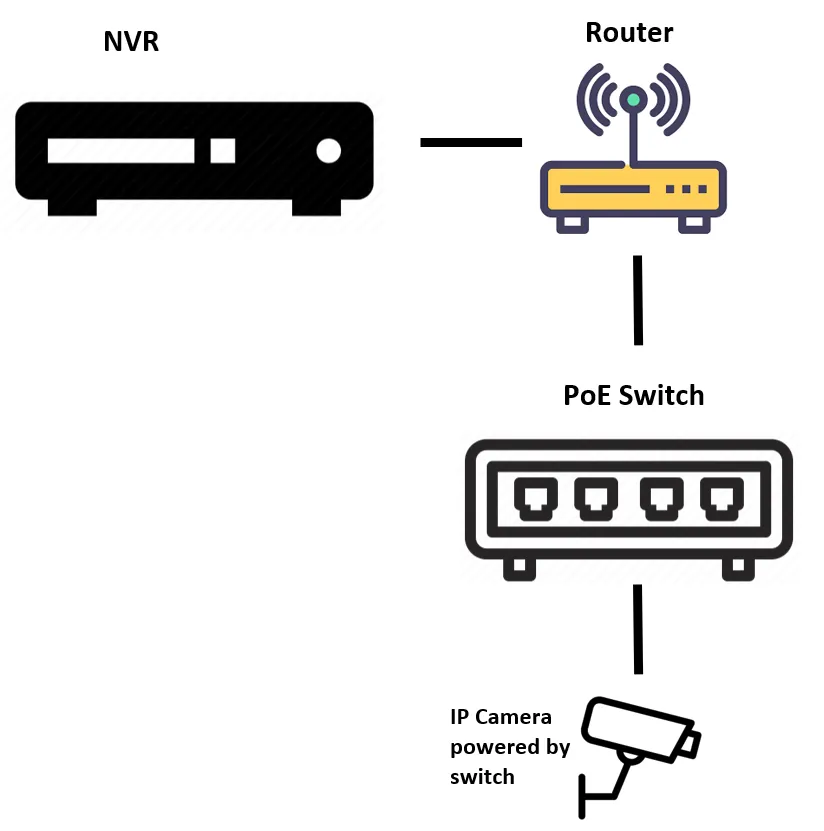
Default IP addresses
192.168.226.201 – Viper Cameras
192.168.1.108 – All Dahua cameras and Cog and Eagle units
10.1.1.X - Cog Camera
192.168.1.200 – Viper NVR
192.168.1.9 – Kestrel NVR
192.168.0.10 – Kestrel Cameras
192.168.1.88 - λ | Cortex / Qvis
192.168.1.108 – AMB Range (Dahua)
192.168.0.99 - Non Viper PTZ (Huisun/Qvis)
192.168.0.66/99 - ANPR Cortex
Port numbers:
Kestral: 34567 + 80
Viper: 6036 + 80
λ | Cortex: 50000, RTSP 556, 80
4X/5X/Pioneer/Trio/Quattro/QHDA/Nitro/Atlantis/Shangri La/Eden/Avalon: 34567
Apollo/Zeus/iApollo/iZeus/iAtlantis/iSmart: 37777
Medusa/Orpheus/Mach2: 8000 + 3000
λ | Cortex ARK: 4995, 556 (can’t be changed)
Viper ARK: 554 + 52525
Need Additional Help?
Our dedicated support desk is available to assist you 24/7.
Popular Articles
Frequently viewed documentation and technical guides.